
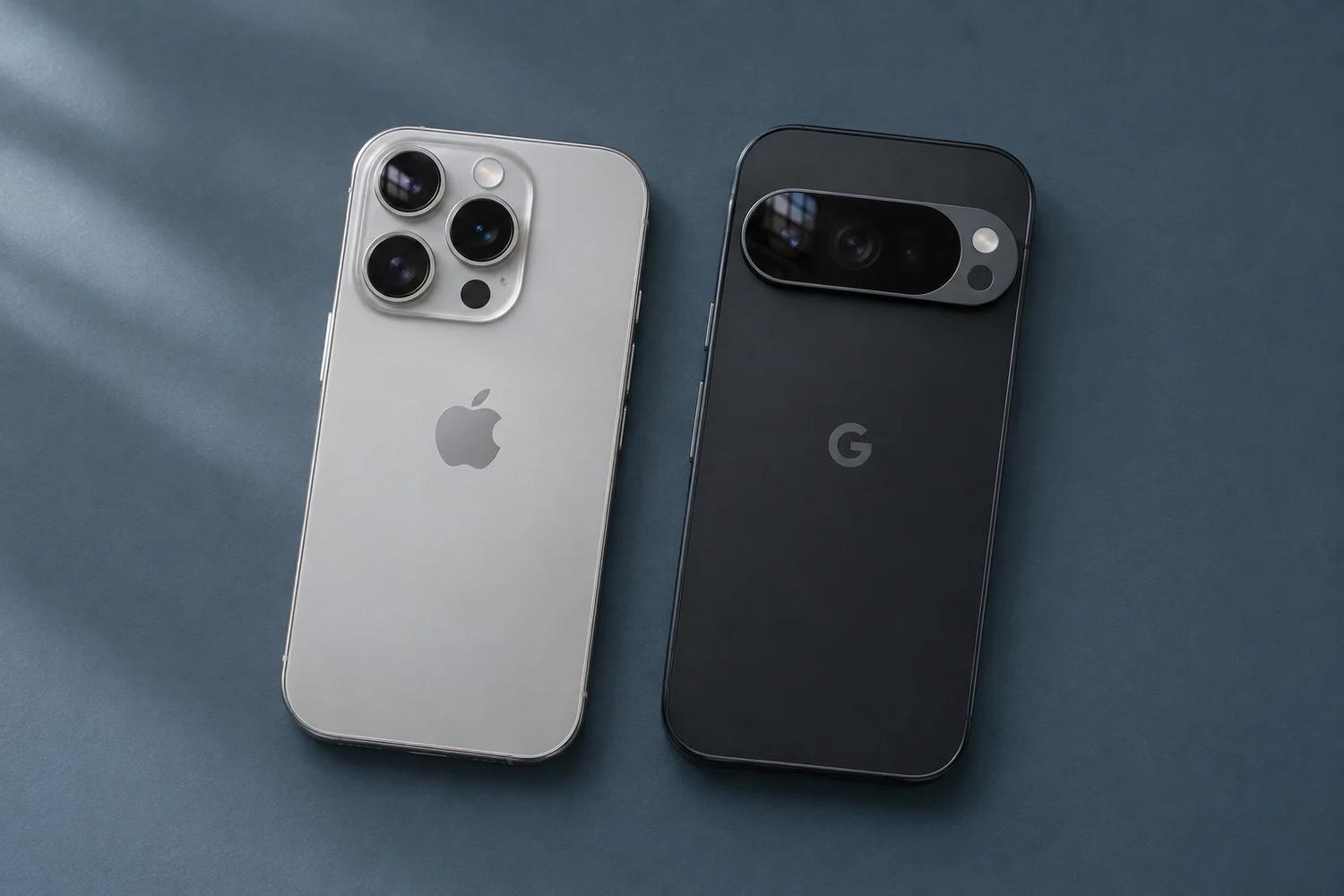
Two password managers disclosed attacks this week, setting off a familiar argument about where to keep the credentials that protect everything else. 1Password said an attacker copied customer records after gaining access to internal development systems. On November 27, pCloud confirmed a separate attack on pCloud Pass after customers reported unfamiliar-device alerts. The disclosures leave readers with a practical question: is the password manager built into an iPhone or Android phone the better choice?
For most people, keep using a password manager. Apple Passwords is a sensible default if you mostly use Apple devices. Google Password Manager is a sensible default if you mostly use Android and Chrome. A standalone app earns its place when you need broader device support, deliberate separation from your Apple or Google account, or shared access you can manage. The UK’s National Cyber Security Centre also treats built-in managers as a practical option.
What password-manager attacks actually exposed
This timeline covers major publicly documented incidents through November 28, 2026, including attacks on providers, software distribution and individual accounts. A suspected incident is identified as such.
| Public disclosure or incident | Password manager | What was exposed |
|---|---|---|
| November 2026 | pCloud Pass | pCloud said some email addresses were exposed and login attempts triggered unfamiliar-device alerts. It said vault contents remained protected. BleepingComputer reported that pCloud did not say whether encrypted copies were accessed. |
| November 2026 | 1Password | An attacker copied account information and private source code. 1Password says vault contents, vault keys and released apps were unaffected. |
| November 2026 | mSecure | The company’s notice said an attacker obtained an encrypted mSecure Cloud database. It reported no evidence the contents were read and advised affected customers to replace important stored credentials. |
| June 2026 | LastPass | A breach at a sales intelligence vendor exposed business and customer contact information. LastPass said the affected systems did not contain vault data. This was separate from the 2022 breach. |
| May 2026 | Dashlane | Attackers copied encrypted vaults of fewer than 20 personal-plan users after targeting new-device verification. Dashlane did not report that the copies had been decrypted. |
| April 2026 | Bitwarden | A malicious package briefly reached the distribution channel for the developer command-line tool. Bitwarden found no evidence that end-user vault data was accessed or that production systems were compromised. |
| 2023 | 1Password | The Okta support-system breach affected 1Password’s employee sign-in environment. 1Password said no customer data was accessed. |
| December 2022 | Norton Password Manager | Attackers tried credentials stolen elsewhere against Norton accounts, a practice called credential stuffing. Norton could not rule out access to some users’ saved items, particularly when the vault and account passwords were similar. |
| 2022 | LastPass | Attackers copied vault backups with encrypted fields, including passwords, and unencrypted website URLs. Copies could be subjected to password guessing without signing in to LastPass. |
| April 2021 | Passwordstate | An enterprise software update mechanism delivered malicious code capable of collecting password-manager data from affected installations. |
| June 2015 | LastPass | Account email addresses, password reminders and data used to verify master passwords were taken. LastPass said it found no evidence that encrypted vault data was stolen. |
| May 2011 | LastPass | LastPass investigated unusual network traffic and took precautions against possible exposure of email addresses and password-verification data. The notice did not confirm theft. |
In 1Password’s latest case, an attacker used a compromised employee GitHub account to reach private code and push malicious code to internal services. Copied account records included names, sign-in email addresses and tokens from some invitation and recovery links. The company says those tokens required separate verification. A representative told users in the company forum on November 27 that no released version of its software was affected. As of November 28, 1Password had given no customer count and said a fuller incident report would follow.
LastPass in 2022 shows why an encrypted backup is still valuable to an attacker. A copied vault can be tested offline, where a login rate limit or account two-factor authentication cannot stop password guesses. A strong vault passphrase matters. Changing it today also leaves an older stolen copy protected by the old settings. If your provider says a vault copy was stolen, follow its notice and change the affected passwords at the sites themselves, starting with the accounts that can reset others. The UK Information Commissioner’s Office fined LastPass UK £1.2 million over the 2022 incident. Blockchain investigators at TRM Labs later linked some cryptocurrency thefts to the breach through transaction patterns. That analysis does not establish how many vaults were opened.
A separate 2026 USENIX study showed how a server fully controlled by an attacker could undermine protections in the tested versions of Bitwarden, LastPass and Dashlane. The researchers demonstrated possible attacks under that assumption. Their work gives readers a reason to look beyond an encryption claim and ask how a provider handles updates, new devices and account recovery.
Apple Passwords, Google Password Manager or a standalone vault?
Apple Passwords. If you use an iPhone, iPad and Mac, Apple’s manager is a good first choice. iCloud Keychain is end-to-end encrypted under Apple’s standard iCloud protection. Apple also offers iCloud Passwords for supported Windows browsers. The main dependency is recovering your Apple Account and Keychain if you lose your devices. Set up a recovery route and use Stolen Device Protection on your iPhone, which can require biometrics to use saved passwords and passkeys even if someone knows the phone’s passcode.
Google Password Manager. It’s a good fit if you use Android and Chrome across devices. Google lets you save credentials to your account or device and documents an on-device encryption option for which you control the key. Check the encryption and recovery settings you actually use. If you enable that option, make sure you understand how you’d unlock your credentials after losing a device. The Google Account itself deserves the same care as the vault.
A standalone password manager. Consider one if you regularly switch between Apple, Android and several desktop browsers, or if your household or business needs shared collections and control over who can access them. You can keep the vault under a separate account, but you are trusting another provider’s software and recovery process. Check how it verifies a new device, what an administrator can recover, and how you could move your passwords and passkeys elsewhere. A local vault is also an option if you want to manage your own backups and can reliably restore them.
Built-in managers still need software updates. Apple, for example, documented a Passwords app flaw fixed in iOS 18.2. That advisory described a vulnerability. It did not describe theft of iCloud Keychain vaults. The breach timeline alone cannot tell you which manager is safest.
What I would do
I’d use the manager that makes it easiest to create a different password for every account, then protect access to the manager itself. For a standalone vault, use a long, unique master passphrase and enable a second sign-in factor if supported. The US National Institute of Standards and Technology points to evidence that password managers help people choose stronger passwords. A manager concentrates risk in one place. Password reuse spreads one failure across many places.
Start with your primary email and the account that controls your vault. Use passkeys where offered. They are tied to the legitimate site and resist ordinary sign-in phishing. Keep a backup way in, such as a second trusted device or recovery codes stored somewhere you can reach without opening the vault. If you’re switching providers, test that you can sign in to critical accounts and verify which passkeys transfer before deleting the old vault. Treat any exported password file as sensitive because it may be unencrypted.
If you use 1Password, the company says this incident alone does not require a password reset. Open the app directly if an unexpected recovery or invitation email arrives and verify the message through a channel you already trust. If a provider tells you an encrypted vault was actually copied, treat that as a different decision and act on the notice for your account.