
Xbox Live account security is Microsoft account security with extra stakes: your game library, your in-game inventory, your chat identity, and your payment methods. The safest setup treats the Microsoft account as the control plane and puts spending and contact behind predictable rules.
If you only do one thing: secure the Microsoft account email inbox and enable strong sign-in protection. Most "Xbox hacks" are account takeovers, not console exploits.
Immediate hardening moves
- Stop password reuse: set a unique password for your Microsoft account.
- Enable 2FA and avoid SMS-only setups for high-value accounts.
- Review devices and sessions and sign out anything you do not recognize.
- Remove payment exposure if the account is used by kids: remove saved cards, require approvals, and set limits.
- Lock down contact: restrict who can message and invite, especially for children.
If you suspect you are already compromised, contain first: been hacked? what to do first.
How Xbox accounts actually get compromised
The repeating patterns are the same as social accounts. Attackers want access they can monetize: reselling accounts, stealing inventory, and abusing saved payment methods.
| Pattern | What it looks like | Defense that holds |
|---|---|---|
| Credential stuffing | Login succeeds with an old reused password | Unique passwords everywhere |
| Phishing and fake support | "Verify your account" or "ban appeal" links | Authenticate only through your own navigation |
| Recovery compromise | Email inbox access enables resets | Secure email first, then Microsoft account |
| Session hijacking | Attacker stays logged in after password change | Revoke sessions and fix device integrity |
| Spending abuse | Unauthorized purchases and subscriptions | Purchase approvals, alerts, no saved cards |
Key idea: recovery is part of security. A strong Xbox setup is one you can regain quickly, without losing inventory or money in the process.
Secure the control plane first: email and Microsoft account
Most recoveries fail because the attacker can re-enter through email resets or existing sessions. Fix the control plane before you chase Xbox settings.
1) Secure the email inbox tied to the Microsoft account
- Change the email password from a trusted device.
- Enable 2FA on the email account.
- Check forwarding rules and filters and remove anything you did not create.
- Review recent sign-ins and sign out unknown sessions.
2) Secure the Microsoft account
- Change the Microsoft account password to a unique one.
- Enable strong sign-in protection and recovery methods you control.
- Review devices and account activity and remove unknown devices.
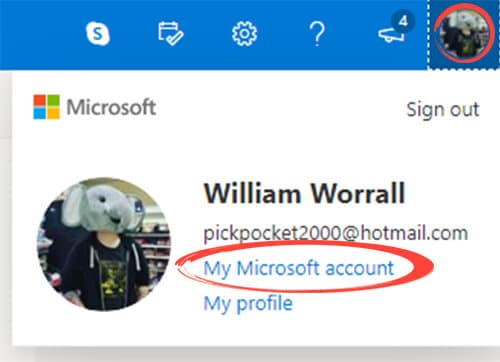
Microsoft's account security portal is the stable starting point: Microsoft account security.
Prefer authenticator-based sign-in when possible
App-based authentication reduces exposure to SIM swaps and SMS interception. Microsoft documents Authenticator setup and usage here:
- Download Microsoft Authenticator
- Add accounts to Microsoft Authenticator
- Sign in using Microsoft Authenticator
Lock down purchases and subscriptions
In gaming households, the biggest losses are often not the account takeover itself. They are the purchases made before you notice.
High-leverage spending controls
- Remove saved payment methods if you do not need them.
- Require purchase approval or a PIN on the console or family account.
- Turn on purchase notifications so you learn about fraud quickly.
Use how to stop your children spending money online to set the household rules and approvals, then apply them through parental controls for video game consoles.
Restrict contact and social surfaces
Gaming accounts are social accounts. The contact surface is where harassment, grooming attempts, and scams show up.
Recommended defaults for kids
- Messages: friends-only
- Invites: friends-only
- Voice chat: friends-only or off
- Friend requests: restricted
On Xbox and Microsoft accounts, start with the family hub and family settings app:
For a broader safety framework, use how to protect your child from online abuse, hacking, and cyberbullying.
Session and device audits (the part that prevents repeat compromise)
Attackers often keep access through sessions and connected apps. This is why people say, "I changed my password but it keeps happening." That can be session hijacking or a compromised device.
- Sign out of other sessions where the platform allows it.
- Remove unknown devices from account settings.
- Remove connected third-party apps you do not actively use.
If compromise repeats after you harden the account, treat it as a device issue: how to detect spyware.
If you think your Xbox Live account is compromised
Respond like an incident. The goal is to stop loss, remove access, and prevent re-entry.
- Secure email first.
- Secure the Microsoft account (unique password, strong sign-in, recovery options).
- Revoke sessions and remove unknown devices.
- Check purchases and subscriptions, then dispute unauthorized charges quickly.
- Reset contact and privacy defaults so harassment and scams do not continue through the account.
Xbox Live security gets simpler when you treat the Microsoft account as the control plane, and treat spending and contact as high-risk surfaces that need friction. Once the baseline exists, most attacks fail early.
The remaining incidents become manageable because recovery is predictable. You can regain access, revoke sessions, and limit damage without improvising.
That is the real target state: not perfect security, but short recovery time and low blast radius when something goes wrong.