

Regulatory conflict around major platforms matters when it signals persistent gaps in privacy, safety, or enforcement.
Readers benefit most by converting headline friction into account-level controls they can apply immediately.
Translate policy conflict into action
If your Facebook account was hacked or you were locked out, start with the steps that stop ongoing harm first:
- Secure your email first. If attackers control your email, they can reset everything else.
- Stop password reuse. Change passwords for email and Facebook to strong, unique passwords (a password manager helps).
- Use official recovery entry points. Start at facebook.com/hacked (avoid phone numbers from pop-ups).
- Warn friends and followers if the attacker is messaging people from your account.
- If a Page or Business Manager is involved, treat it as urgent. Takeovers can trigger ad spend and reputational damage.
Related guides (recommended next steps):
- How to recover a hacked Facebook account
- How to recover your disabled Facebook account after a hack
- Recover a Facebook Business Page or Business Manager
- Facebook customer support scam: do not call this number
- How to file a consumer or privacy complaint in your country
- California's Attorney General no longer aids in recovering hacked Facebook accounts
Recovery scams are part of the problem. If someone says they can "recover" your Facebook by hacking, or asks you to pay to talk to support, treat it as a scam. Use official Meta support flows only.
| If this is happening | Do this first | Why |
|---|---|---|
| Your profile was taken over, but you can still sign in | Secure email, change password, and enable stronger sign-in protections, then remove unknown access | Fast lockout reduces the chance the attacker spreads scams or pivots to Pages/ad accounts |
| You are locked out (email or password changed) | Start with official recovery, document what changed, and prepare proof of ownership for support | When recovery fails, speed and documentation improve your odds |
| Ads are running or a business asset is affected | Prioritize financial containment: stop spend, remove payment methods, and secure admins | Business-related compromise can create rapid financial loss and longer recovery timelines |
| Friends are receiving messages from "you" | Warn close contacts through another channel and stop the account from sending more messages | Containment reduces secondary victimization and reputation damage |
Why attorneys general got involved
In March 2024, a coalition of U.S. state attorneys general raised concerns about account takeovers on Meta platforms and the burden on state offices handling consumer complaints. The multistate letter asked Meta to strengthen prevention and improve responsiveness for users who are locked out after takeovers.
Primary source: the multistate letter (PDF) hosted by the Maryland Attorney General: 030624 Multistate Letter on Account Takeovers.
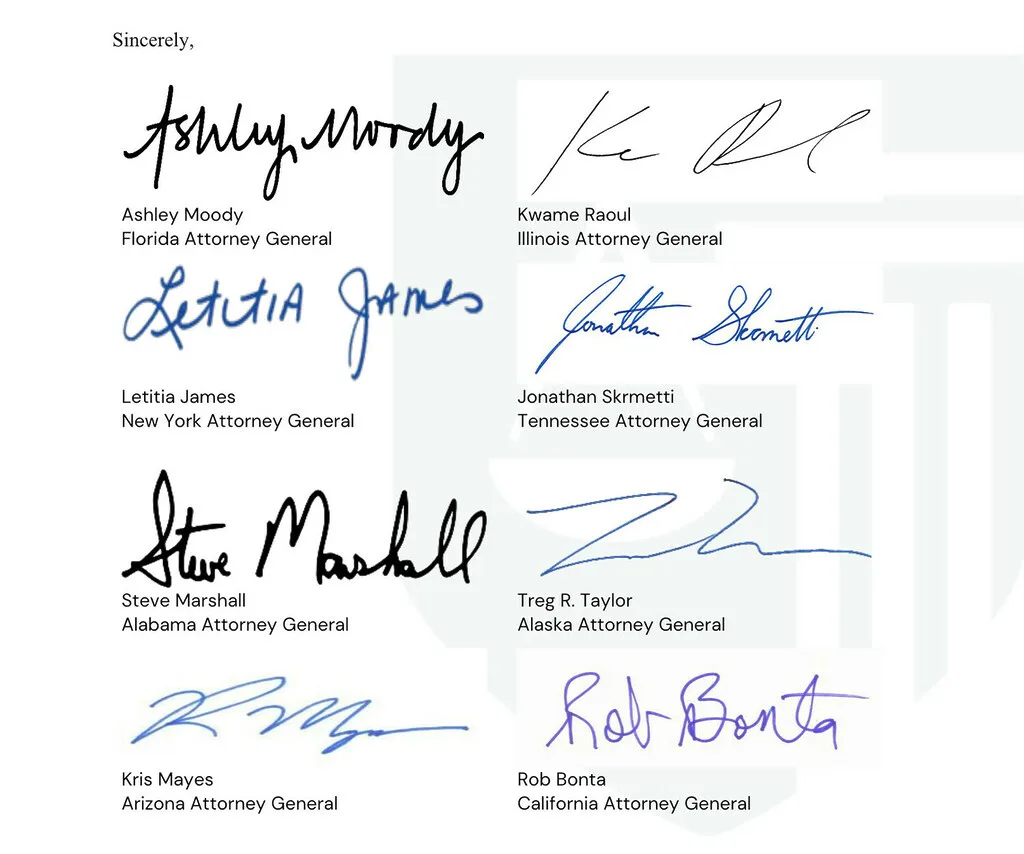
The letter includes examples of how complaints increased over time in several states, and it argues that takeovers are not just a minor annoyance. When a stolen account is used to scam contacts or run ads, the harm can include direct financial loss and reputational damage. For small businesses, that can be catastrophic.
What the multistate letter asked Meta to do
The letter is specific about what government offices want from Meta. In plain terms, the asks include:
- Prevent more takeovers (improve safeguards and investment in security and integrity).
- Improve responsiveness for compromised users (reduce the time attackers can keep using stolen accounts).
- Share data about scale and causes, and explain what safeguards are in place.
- Meet with attorneys general to discuss the issue.
Even if you do not care about the policy angle, this matters operationally. It frames account recovery as consumer harm, which usually increases scrutiny and pressure to improve the process.
Why Facebook account recovery fails in the real world
Most failed recoveries come down to one of these patterns:
- The email account was already compromised. Attackers reset Facebook first, but email is the control plane.
- The attacker changed recovery options. New email, new phone number, or new authentication methods.
- The account gets disabled during the incident. Either the attacker triggers enforcement, or automated systems lock the account due to unusual behavior.
- Business assets are attached. Pages, Business Manager, ad accounts, and admin roles introduce more ways to lose control.
- Support scams exploit the situation. Fake "Facebook support" phone numbers and chat agents target people who are desperate to recover access.
Important framing: a hacked Facebook account is often not a Facebook-only problem. It is frequently part of a wider takeover chain that starts with email, password reuse across services, or phone number takeover.
How account takeovers typically happen
Understanding the entry point helps you fix the root cause. These are common takeover paths:
- Password reuse and credential stuffing: an old leak gives an attacker a password that still works elsewhere.
- Phishing: you are tricked into entering your password on a fake login page.
- Session theft: malware or a malicious browser extension steals a logged-in session token.
- SIM swap or phone number takeover: attackers intercept SMS codes or password resets by taking control of your number.
- Business email compromise: a compromised inbox is used to take over the Facebook account that controls a Page or ad account.
You do not need to guess which one happened to you. The recovery plan below is designed to cover the most common persistence methods, especially email access, connected apps, and recovery changes.
Recovery triage: choose the right path
Before you start clicking through random recovery prompts, identify which scenario you are in. That saves time and reduces the chance you get stuck in loops.
Scenario A: You still control your email and phone number
This is the best case. Use official recovery flows, reset passwords, and then check for persistence (unknown sessions, connected apps, recovery changes).
Scenario B: You do not control the email on the account
Start with email recovery first. If you cannot secure email, your Facebook recovery will be unstable because the attacker can keep resetting it. Preserve evidence, do not engage with fake support agents, and avoid paying for "recovery" services that request your credentials.
Scenario C: The Facebook account is disabled
Disabled accounts often require a different flow. Focus on the disabled-account path first. Once access is restored, return to takeover cleanup (sessions, connected apps, recovery methods, 2FA).
Scenario D: A Page, Business Manager, or ads are involved
This becomes a financial risk and a brand risk. Work quickly, document changes, and consider freezing cards or contacting your bank if there is suspicious ad spend.
If your Facebook account was hacked
Use this sequence to reduce the chance the attacker comes back after you regain access.
Step 1: Secure your email and phone number
If an attacker controls your email, they can reset your Facebook password repeatedly. If an attacker controls your phone number, they can intercept recovery codes on services that still rely on SMS.
Actions to take immediately:
- Change your email password, then check for unknown forwarding rules, filters, and connected apps.
- Contact your mobile carrier if you lost service or stopped receiving texts, and ask about recent SIM changes.
- Make sure your recovery email and recovery phone number are current and under your control.
Step 2: Use official Meta recovery entry points
Start at facebook.com/hacked and follow the prompts. If you can still access the original email and phone number, recovery is usually easier.
If you are locked out and cannot access the email or phone number on file, recovery can become an identity verification problem. In that case, avoid making repeated random attempts that trigger more locks. Move methodically and preserve evidence.
For Meta's own overview of official recovery steps, see: Facebook Help Center: If you think your account was hacked or taken over.
Step 3: Preserve evidence
Evidence helps with recovery, disputes, and formal complaints. Capture:
- Login alerts and password reset emails.
- Screenshots of error messages and recovery dead ends.
- Dates, times, and the devices you used when the takeover occurred.
- For Pages: screenshots of admin role changes, new ads, billing changes, and unauthorized posts.
Step 4: After you regain access, check for persistence
Many users get back in, then get hacked again because one persistence method is still active. After you regain access, review:
- Unknown devices or active sessions, and sign them out.
- Connected apps you do not recognize.
- Recovery email and phone number (remove anything you do not control).
- Two-factor authentication settings, and whether you can safely enable a stronger method.
Step 5: Limit downstream damage
Even after you regain access, damage can continue if contacts are still being targeted. Consider:
- Posting a short warning that you were hacked (and that you did not send recent messages asking for money).
- Messaging close contacts directly if they were targeted.
- Checking for unauthorized Marketplace listings or messages.
When a complaint to an attorney general helps
Key idea: A complaint is not a fast recovery tool. It can create pressure and a paper trail, but you still need to run the official Meta recovery steps in parallel.
Attorneys general offices do not function as customer support, and results vary by state, by case, and by platform. A complaint is most likely to help when you can document real harm and show you have already tried official recovery channels.
If you choose to file a complaint, include:
- The profile URL (or Page URL) and the email and phone number previously associated with the account.
- A concise timeline (first sign of compromise, attempted recovery steps, current status).
- Screenshots of login alerts, password reset emails, role changes, and any error messages.
- Evidence of financial harm (ad spend, fraud, business disruption) if applicable.
Set expectations: complaints can take time, and outcomes are not guaranteed. But a well-documented complaint can help establish that the issue is systematic, not isolated.
Avoid the most common recovery scams
Attackers know that hacked account recovery is painful, and they profit from that. The most common pattern is a fake support agent who asks for:
- Payment for recovery
- Your email password or 2FA codes
- A remote access session
- A link that "verifies" your identity but actually steals your login
Rule: use official recovery entry points and never pay someone who claims they can guarantee recovery.
If you run a business Page, reduce financial risk
Rule of thumb: Stop spend first, then recover. If ads are running, prioritize containment (admins, payment methods, account access) before anything else.
If your personal profile controls a Page, Business Manager, or an ad account, treat the incident as both a security incident and a payment incident. Attackers often monetize access by running ads, changing billing details, or messaging customers.
- Freeze suspicious spend. If you see unauthorized charges or campaigns, contact your bank and pause campaigns if you still have access.
- Check admin roles. Remove unknown admins where possible and make sure you have at least two trusted admins (so one lockout does not end the business).
- Secure the controlling accounts. The Page is only as secure as the accounts that administer it. Secure email and any admin profiles first.
- Notify internally. Tell staff not to approve payment changes or click verification links sent through Messenger or email.
- Document the incident. Keep a timeline of changes, screenshots, and any evidence of who changed what and when.
Common questions
Can an attorney general office get my account back?
Sometimes complaints help move a case forward, but there is no guaranteed path. Attorneys general offices vary widely in what they can do, and their role is generally consumer protection, not platform support. Treat a complaint as an escalation option, not the primary recovery method.
Should I pay someone who says they can recover it?
No. Most "account recovery" offers are scams, and paying often leads to more extortion. Use official recovery entry points and do not share 2FA codes, backup codes, or email passwords.
Why does Facebook keep saying it does not recognize my device?
This is common after a takeover because the login context changes. Attackers may log in from different countries, routes, or devices, and automated systems can become more strict. Focus on recovering the account through official flows and stabilizing the email account first.
What if friends are still getting scam messages?
Even after recovery, scammers may keep trying to exploit your network. Warn close contacts directly, and tell them not to trust urgent requests for money, gift cards, or verification codes.
Prevention: reduce the chance it happens again
Once you regain access, take a few steps to reduce the chance of a repeat incident:
Also consider tightening your account recovery surface. Remove old phone numbers and emails you no longer control, and make sure your recovery methods are still accurate. Attackers often return through recovery, not through the original exploit.
- Use a password manager and do not reuse passwords across services.
- Enable stronger authentication where available (2FA, passkeys, security keys).
- Review your email security: remove unknown forwarding rules, and check connected apps.
- Be cautious with browser extensions and downloaded software, especially on the computer you use to access Facebook.
- Assume scammers will try follow-on attacks ("support" calls, urgent messages, and fake verification links).
Featured image from Wikimedia Commons.