
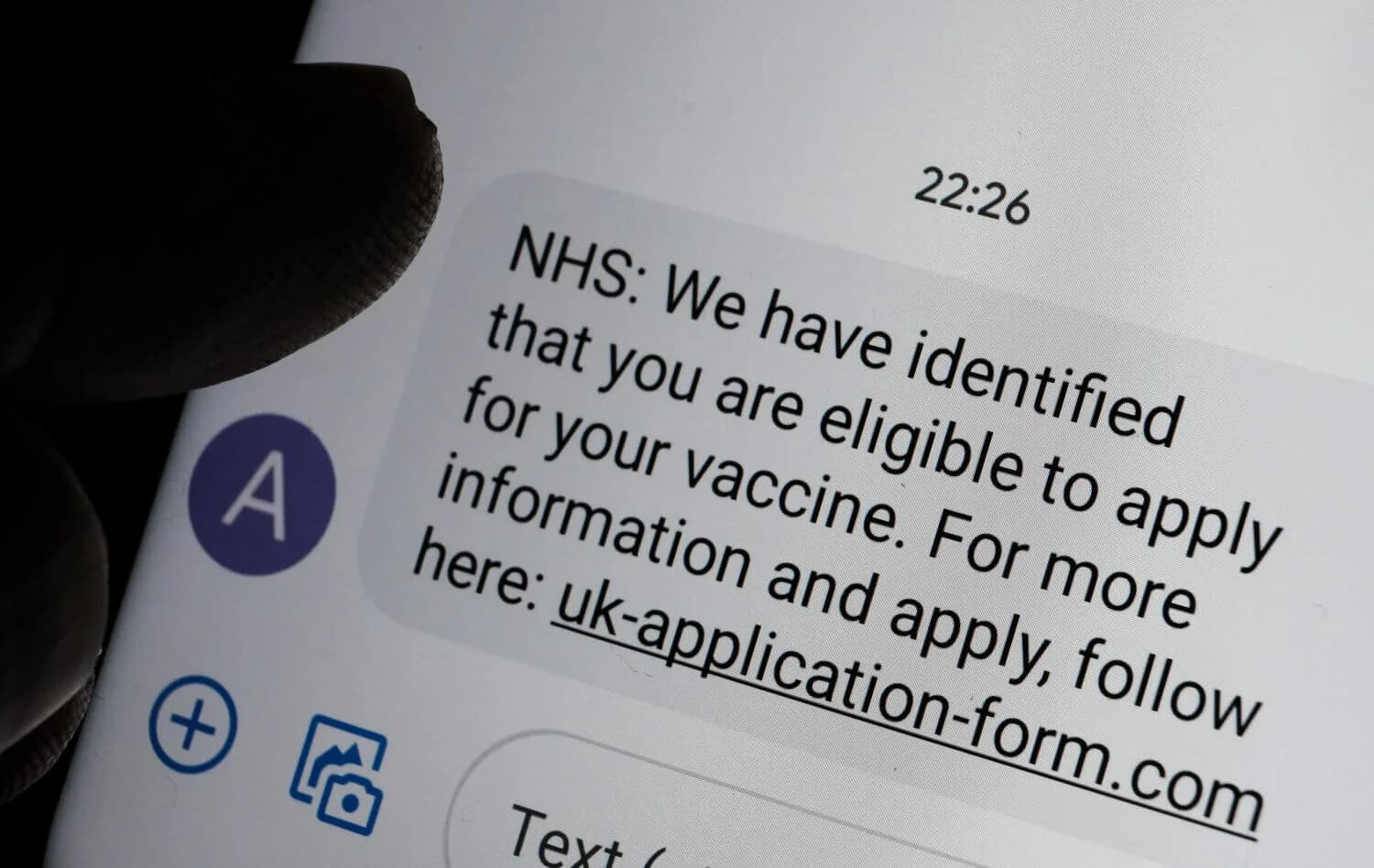
SMS scams work because texts feel routine. The attacker compresses pressure into a short message and tries to pull you into one of three outcomes: click a link, install an app, or share a one-time code. A strict verification habit stops most high-impact damage.
| Simple rules that block most scams | Do this | Why it works |
|---|---|---|
| Links | Do not click links in unexpected texts | Links are how scammers deliver phishing pages and malware |
| Codes | Never share one-time codes with anyone | Code requests are account takeovers in progress |
| Calls | Do not call numbers in texts; call the official number on your card or official site | Bank and delivery impersonation relies on you dialing the attacker |
| Payments | Do not pay fees from a text message | Payment pressure is a classic scam lever |
| Verification | Verify inside the official app or by typing the known domain | It breaks lookalike sites and URL shorteners |
Do not: share verification codes with anyone. Codes are for logging in. If someone asks for one, assume account takeover is the goal.
The scam patterns that show up most often
| Scam | Message pattern | Safe response |
|---|---|---|
| Verification-code theft | “Read me the code to prove it’s you” | Do not share it. Secure the account and rotate passwords |
| Delivery fee | “Package held, pay a small fee” | Track directly in the carrier or retailer app |
| Bank impersonation | “Fraud alert, reply YES” then call a number | Call the number on your card or bank site, not the text |
| Wrong number bait | Friendly mistake that becomes an investment pitch | Do not engage. Block and report as spam |
| Account lockout | “Your account will be closed today” | Open the real app and check alerts there |
What to do if you clicked a link
Most damage requires one more step after the click: entering credentials, installing an app, or sharing a code. Your goal is to stop the chain.
- If you entered a password, change it from a clean device and enable 2FA.
- Secure the email inbox that can reset that account. Email is the control plane.
- Review active sessions and connected apps and revoke anything unfamiliar.
- If you installed an app or the phone is behaving oddly, treat it as a device compromise: how to detect spyware.
If you suspect broader compromise, start with immediate steps after being hacked and how to check if you have been hacked.
Common mistake: changing passwords on the same device that installed a malicious app. If the device is compromised, the attacker can steal the new session.
Verification habits that scale
You do not need to memorize every scam. A few habits catch most of them.
- Keep payments and logins out of the message thread. Navigate to services directly.
- Assume any request for a one-time code is hostile.
- Assume urgent messages are attempts to bypass verification.
- Use a password manager so you do not reuse passwords across accounts.
Reduce SIM swap and phone-number attack risk
Some SMS scams are really phone-number attacks in disguise. If your number is a recovery method for important accounts, keep it stable.
- If you lose service unexpectedly, treat it as possible SIM swapping and contact the carrier using official numbers.
- Prefer authenticator apps, passkeys, or security keys over SMS when services support them.
Reporting (US)
If the text message is tied to fraud, reporting can help. Keep screenshots and the phone number, but do not keep interacting with the scammer.
- FBI IC3: ic3.gov
Text scams become less effective when accounts are protected with strong authentication and when you keep payment decisions out of the message thread. The stable endpoint is simple: no links clicked, no codes shared, and verification done inside trusted apps and official sites. Once those rules are habitual, most SMS scams fail immediately because they cannot convert a message into access or money.