
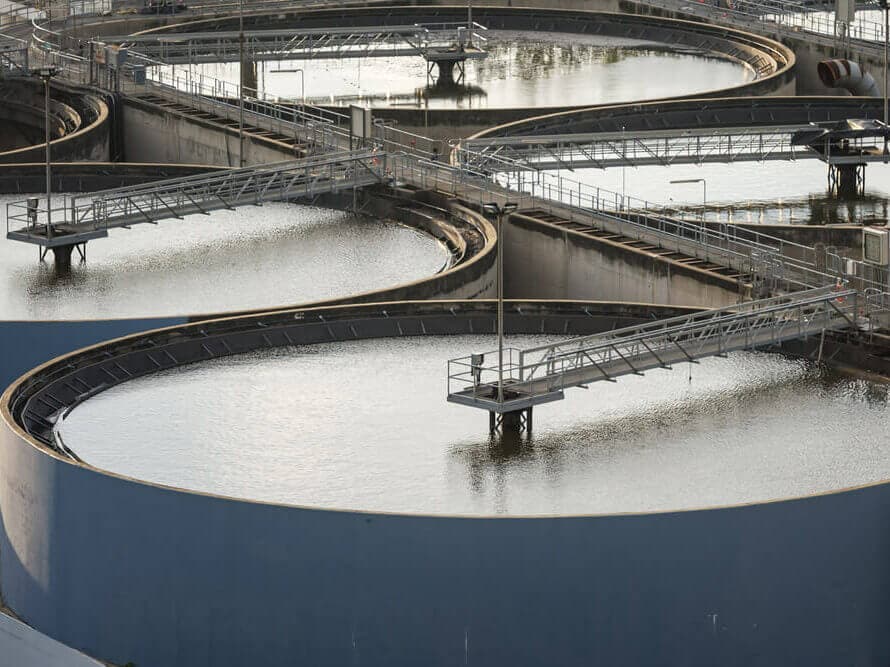
Critical infrastructure incidents are rarely caused by one exotic exploit. The failure pattern is more predictable: remote access that was never meant to be public, weak authentication, shared admin accounts, and monitoring that cannot answer a basic question during an incident: who touched what, and when.
The operational lesson scales down. If your business has anything that controls the physical world or essential operations (door access, cameras, HVAC, building management, point-of-sale, inventory automation), the same access mistakes can create outsized impact.
| If you operate systems that affect safety or availability | Do this first | Why |
|---|---|---|
| Remote access exists | Inventory and reduce it, then enforce phishing-resistant authentication | Remote access is the highest leverage entry point |
| Shared admin logins exist | Replace with named accounts and least privilege | Shared accounts hide attackers and make recovery harder |
| You cannot tell who changed settings | Turn on audit logs, alerts, and a simple review cadence | Detection lag turns small incidents into big ones |
| Backups exist but are untested | Test a restore and make one copy immutable or offline | Recovery that cannot be executed is not recovery |
Key idea: the win is containment. Strong authentication, limited access, and recoverable backups keep incidents from becoming disasters.
The recurring failure mode: remote access without strong identity
Remote access is useful, but it is also how attackers turn “internet-scale” access into “operator-scale” control. This is true for water systems, and it is true for businesses with building controls and SaaS admin consoles.
- Remove remote access paths you do not need. If you cannot justify it, you cannot defend it.
- For the remote access you keep, require 2FA and prefer phishing-resistant methods (passkeys or security keys) where supported.
- Restrict remote access by network when possible (VPN with MFA, allowlists, device posture checks). Avoid exposing admin panels directly to the internet.
Shared admin accounts are a persistence feature (for attackers)
Shared logins exist because they are easy, but they create two incident problems: you cannot attribute actions, and you cannot safely revoke access for one person without breaking everyone. Attackers love that ambiguity.
- Use named accounts for admins and operators. Disable shared admin credentials.
- Separate admin accounts from daily accounts. Admin should be something you do, not something you are all day.
- Implement least privilege: viewers can view, operators can operate, a smaller group can administer.
Monitoring that answers operator questions
During incidents, the useful questions are not abstract. They are operational:
- Which account logged in?
- From which device and location?
- What configuration changed?
- What else did that account touch?
If your tools cannot answer those quickly, the incident becomes guesswork. Turn on audit logs and alerts where the platform supports them, and route alerts to an inbox that is actually monitored.
| Control gap | What it looks like in real life | Fix that scales down |
|---|---|---|
| No audit trail | “We do not know who changed it” | Enable audit logs and keep them for long enough to compare before and during incidents |
| No alerting | You learn about compromise from customers | Alerts for new logins, new devices, and admin actions |
| Too many admins | Everyone has full access | Role-based access, named accounts, quarterly access review |
| Flat network | One compromise spreads everywhere | Segmentation between business IT and physical/OT controls |
Backups that survive compromise
Backup is not only about ransomware. It is about reversing bad changes and restoring a known-good state when you cannot trust the current one.
- Keep at least one backup copy that regular admin accounts cannot erase. Immutable snapshots or offline copies are the usual route.
- Test restores. “We have backups” is a claim until you have restored successfully.
- Document restore ownership: who can do it, how long it takes, and what the decision trigger is.
Common mistake: investing in detection tools while leaving recovery undefined. Detection without a recovery plan increases stress without changing outcomes.
When to treat it as a safety incident, not just a cyber incident
If a system controls physical processes, a security incident can create safety risk. Escalate early if any of the following are true:
- Systems affect health, environmental controls, or physical access.
- You see evidence of operator-setting changes or unknown admin actions.
- You cannot explain who is currently able to control the system.
Make one person responsible for the incident timeline and evidence packet. When you later need to talk to vendors, regulators, insurers, or law enforcement, the quality of that timeline matters.
A baseline that works for smaller organizations
If you want a small baseline that prevents most repeat incidents, start with: protect yourself from hackers and cybercriminals. If you suspect compromise already, start with: how to check if you have been hacked. For business-wide hardening, see how to protect your business from hackers.
Infrastructure incidents are reminders that systems fail when access is too broad and detection is too weak. That is true at every scale.
When authentication is strong, privileges are limited, and recovery is rehearsed, the worst day becomes survivable. That is the outcome you are building.
The goal is not perfect security. It is an environment where compromise is noisy, contained, and reversible.