

A familiar Facebook profile can still sell fake concert tickets. Verify the ticket-transfer method and save messages and payment records if you already paid.
Contact the payment provider promptly; ask whether reversal is possible. See FTC payment-scam response.
| Situation | What to do now |
|---|---|
| You have not paid yet | Stop and verify the transfer path. Only pay through a platform that offers buyer protection, and avoid methods that behave like cash (wire, crypto, gift cards, most peer-to-peer transfers). |
| You already paid | Preserve evidence, report the account/post, and contact your payment provider immediately. If your own Facebook account was involved, secure it before the scam spreads to your friends. |
Common mistake: moving the conversation "off platform" because it feels more private. Scammers do it because it removes reporting friction and buyer protection.
How the scam usually works
Many of these posts come from accounts that were taken over through phishing, credential reuse, or malware. The attacker inherits trust: a real name, real photos, and a friend graph that is likely to believe a story about last-minute tickets.
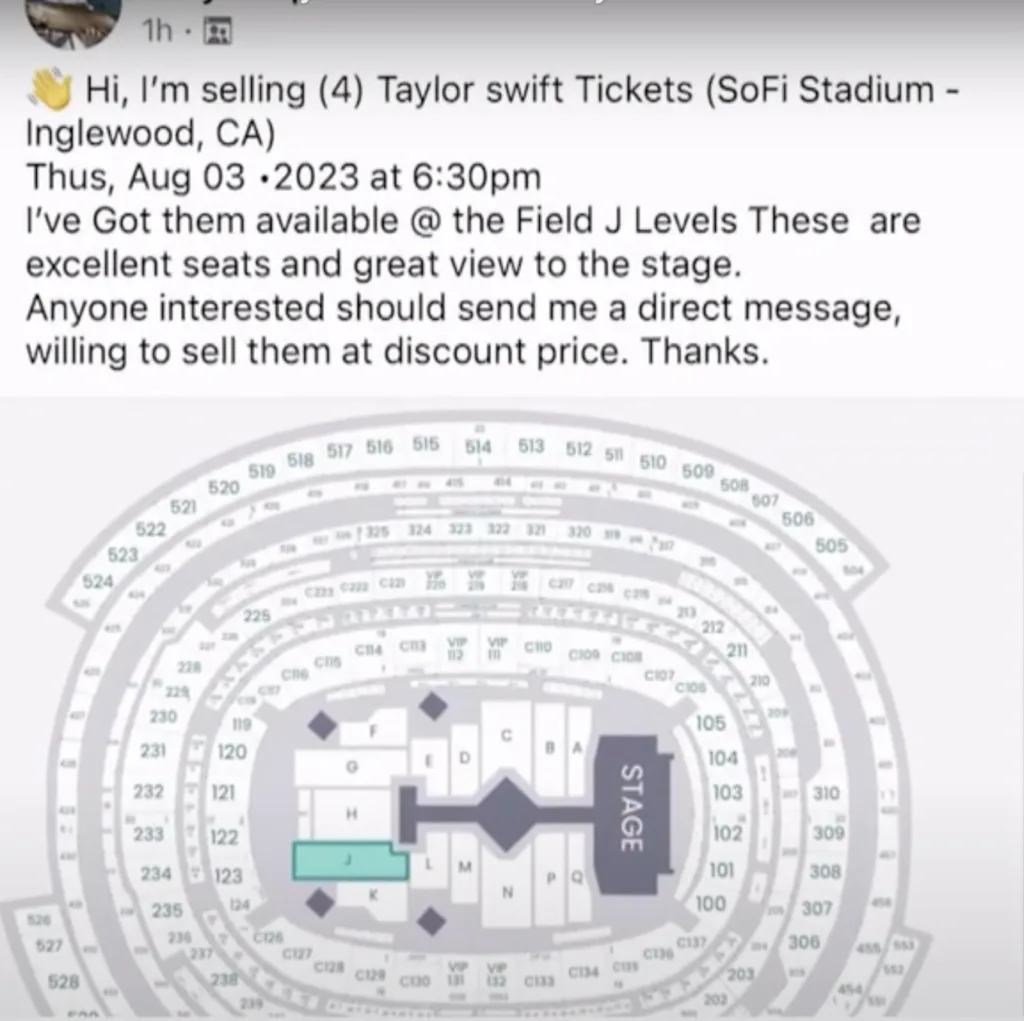
The seller pressures you to act fast. They offer a price that feels like a deal, then create a reason you cannot use a safer payment method. You might be asked to use a peer-to-peer app, send a deposit first, or pay in a way that is hard to dispute. That is the pivot point where the scam becomes irreversible.
A verification checklist before you pay
- Assume the account could be hacked: verify identity outside the message thread. A quick call, a known contact method, or a question only the real person would answer is higher-signal than screenshots.
- Use the official transfer mechanism: for tickets, prefer platform-native transfer paths (the official ticketing app/marketplace) over screenshots, PDFs, or email forwards.
- Refuse "time pressure" discounts: urgency is a manipulation tool. If the offer dies when you ask for safer steps, that is your answer.
- Do not share codes: scammers will ask for one-time codes to "verify you" or "confirm the transfer." That is often an account takeover attempt.
Payment methods: how to think about reversibility
| Method | Risk profile | Notes |
|---|---|---|
| Credit card (through a legitimate platform) | Lower risk | Disputes are possible and fraud teams can help, but you still need evidence and speed. |
| PayPal Goods & Services (when used correctly) | Medium | Buyer protection depends on using the correct flow. Friends & Family removes protection. |
| Peer-to-peer transfers, wire, crypto, gift cards | High | Often irreversible. Treat as cash. |
If you already paid
- Screenshot the post, messages, profile, payment instructions, and any ticket "proof". Keep order IDs, usernames, and email addresses.
- Report the post/profile in Facebook, and report the conversation if it happened in Messenger.
- Contact the payment provider immediately and ask about fraud/dispute options. The window can be short.
- If identity data was shared (address, ID photos), assume it will be reused in future scams and monitor your accounts.
Reporting links: Facebook: report something you’ve seen. For broader fraud reporting in the US: FTC ReportFraud.
Evidence to keep for a scam report
Keep seller profile, event and seat details, promised transfer method, ticket screenshots, payment receipt, and delivery deadline. Record dates, times, and what you actually did. Separate confirmed events from the other person's claims, and retain original files alongside screenshots.
After urgent account or payment action, you can organize the evidence in a Scam Incident Record. Keep the relevant messages and transaction details together for reporting and follow-up. You review and send information to the appropriate organization yourself; creating a record does not submit an official report or guarantee recovery.
Leave passwords, login codes, backup codes, and private keys out of incident notes or reports. Submit identity documents only when the verified official recovery process requires them.
If your Facebook account was used to scam others
Containment matters more than explanations. Remove the attacker’s access first, then repair trust.
- Follow how to tell your Facebook has been hacked, then change your password and enable stronger sign-in methods.
- Sign out of all sessions and remove unknown devices and connected apps.
- Check for changes attackers use to persist: contact email/phone changes, new admins on Pages, new ad accounts, and any payment methods added.
- Warn friends using a separate channel (text/call) if you think messages were sent from your account.
If multiple accounts show signs of takeover, work from the top down. Secure the email inbox that resets everything, then rotate credentials and revoke sessions across services. Start here: been hacked.
These scams succeed when trust and urgency override verification. The durable fix is procedural: slow the moment down, verify through an official transfer path, and only pay through mechanisms that give you a dispute lane.
If you treat every "too good to be true" ticket offer as a test of payment reversibility, most of the scammer’s leverage disappears.