
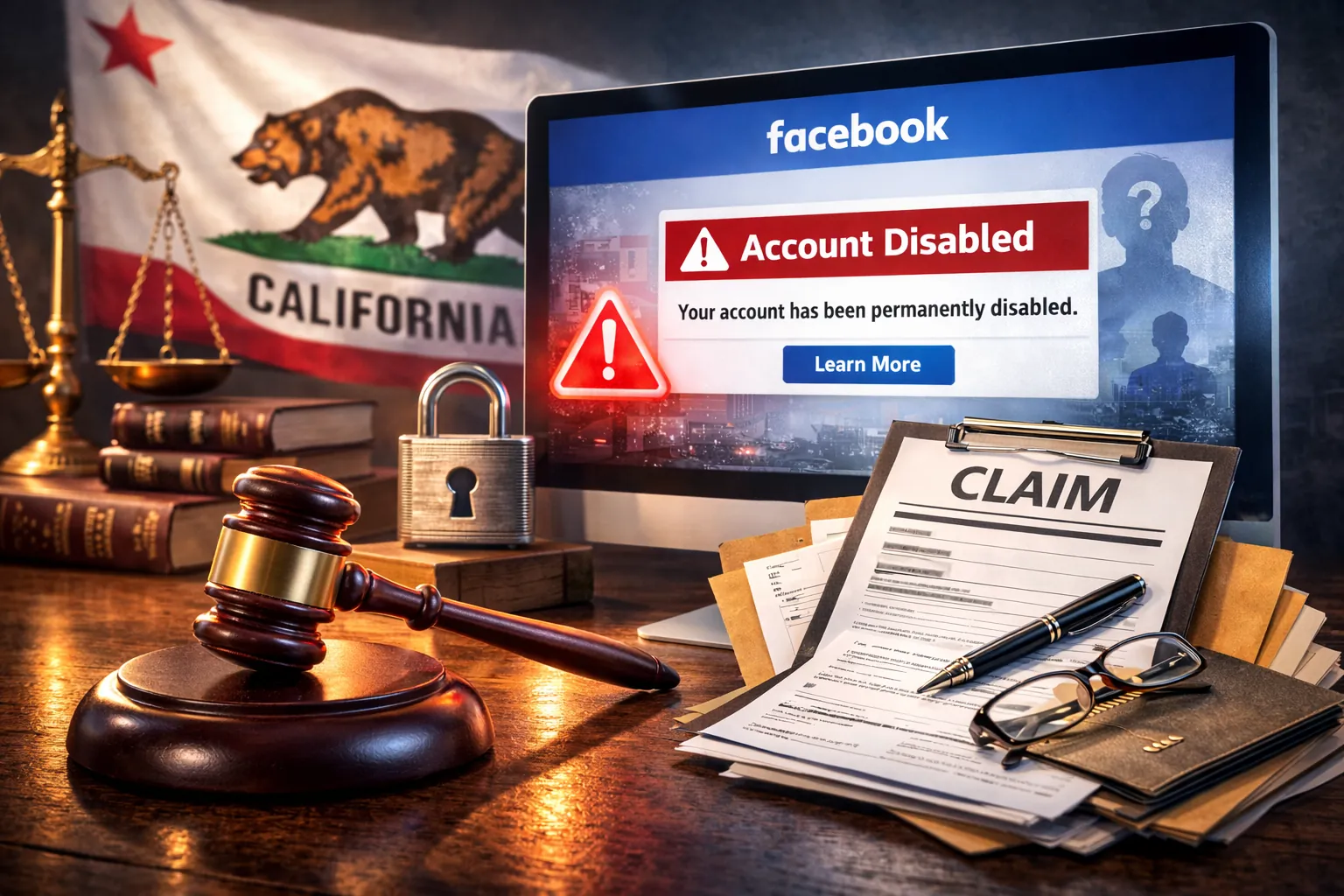
Disabled is not the same as hacked.
If you’re seeing messages like “Account Disabled,” “Your account has been permanently disabled,” “We reviewed your account and this decision is final,” or you’ve lost access to Ads/Business Manager with “Advertising access restricted”, you’re dealing with a policy / integrity enforcement event - not a simple password-reset problem.
At Hacked.com, we handle thousands of account recovery and access-restoration cases. Disabled Facebook accounts require a different strategy than standard credential recovery: it’s about evidence, documentation, and the right escalation channel - with realistic expectations about what Meta will (and won’t) do.
1) Introduction: what “disabled” really means
Facebook disables or restricts accounts when its systems believe the account (or an asset connected to it) violated policy, shows integrity risk, or is linked to suspicious behavior. That can happen:
- After a hack, when attackers run ads, post prohibited content, or connect risky assets
- Due to AI moderation errors and misclassification
- Due to mass reporting campaigns
- Due to copyright / impersonation flags
- Due to policy mistakes (content, identity, payments, authenticity)
If you’re trying to recover disabled Facebook account access after repeated denials, the goal is to move from guesswork to a documentation-first escalation plan.
If your Facebook account disabled after a hack (for example, attackers ran fraudulent ads or posted policy-violating content), you’ll often need to handle both tracks: security remediation and enforcement/appeals.
2) Why Facebook disables accounts
Meta uses layered enforcement: automated integrity systems, risk scoring, and various human-review queues. In practice, many “appeals” are pre-filtered algorithmically - especially at scale - before a human ever reads your submission.
Common causes
- Automated integrity detection: signals tied to spam, abuse, or coordinated inauthentic behavior
- Suspicious login patterns: impossible travel, high-risk ASN/IP ranges, repeated failed 2FA, device fingerprint anomalies
- Mass reporting campaigns: coordinated user reports that trigger fast enforcement or repeated review
- Copyright / impersonation flags: repeated IP claims, brand impersonation signals, or identity authenticity concerns
- Political / sensitive content misclassification: false positives that route to higher-risk review queues
- Fraudulent ad activity after compromise: sudden spend, new payment instruments, new admins/partners, suspicious landing pages
- Business Manager payment disputes: chargebacks, failed payments, billing integrity flags
- Linked account/asset violations: one risky Page, ad account, or Instagram can cascade into restrictions on connected profiles
One practical implication: even if you did nothing wrong, a disablement can still be “correct” from Meta’s risk-model perspective if the account looks compromised, is connected to a flagged asset, or fails identity-confidence checks.
3) Types of disabled / restricted states
“Disabled” is an umbrella term. Your options depend on which layer was enforced and whether you still have any authenticated session anywhere (Facebook app, Instagram, Accounts Center, Business Suite).
A. Temporary lock
This is often a security event: unusual login, suspicious device, or suspected compromise. You may be asked for 2FA, email/phone confirmation, trusted contacts, or identity verification. Success depends on controlling your email/phone and passing device and identity checks.
B. Permanent disable
This is typically a policy/integrity enforcement outcome, not a “forgot password” issue. Recovery depends on whether Meta offers an appeal path for that specific enforcement reason and whether your evidence package resolves the underlying policy concern.
C. “We reviewed your account and this decision is final”
This is the hardest state. It often indicates you’ve exhausted the standard appeal surface available to you. If there’s still a path, it usually requires a different escalation channel (for example, a support surface tied to a paid product, a business-support channel, or a formal legal process). None are guaranteed.
D. Advertising restrictions
Ads enforcement can be separate from the personal profile’s login status. You might be able to log in but be blocked from running ads. Recovery often depends on payment integrity, business verification, and policy compliance - and on whether you can reach the right queue inside Meta’s business support tooling.
E. Business Manager / Business Portfolio disablement
Many businesses operate through Meta Business Suite and Business Portfolio. A disablement here can lock you out of Pages, ad accounts, pixels, catalogs, and partner access. These cases usually require:
- Proof of business ownership/control
- Admin and partner audit (who has access, what changed, when)
- Billing and dispute history review
- Asset-level policy analysis (ads, landing pages, Page content)
F. Page-level disablement
A Page can be restricted even if the profile is fine. The recovery path is more “asset” oriented: Page quality, authenticity, and policy compliance. Your documentation should target the Page enforcement reason, not your personal identity alone.
4) Standard appeal process
There isn’t one universal “appeal link” that works for everyone. If you’re trying to appeal Facebook account disabled outcomes, focus on the in-flow prompts you’re offered, submit once with a coherent packet, and avoid behaviors that look automated. The most reliable appeal surfaces are the ones presented inside your logged-in flow (during login, in Accounts Center, in Business tools). When people get stuck, they often chase random forms online and submit low-quality packets repeatedly - making the situation worse.
Official entry points
These are common official starting points. Some require you to be logged in; some may be region-limited or intermittently unavailable:
- Facebook Help Center (search “disabled account” / “suspended account”)
- facebook.com/login/identify (account lookup / login recovery surface)
- facebook.com/help/contact/260749603972907 (commonly used for disabled account appeals)
- facebook.com/help/contact/183000765122339 (commonly used for confirmation/identity-related issues)
Important: if a link shows “not available,” don’t interpret that as a definitive denial. It often means the surface isn’t available for your account state, region, or device/session. Use the in-app prompts and Accounts Center wherever possible.
Identity verification
For disabled accounts, Meta often tries to establish identity confidence. Common requirements include:
- Government ID submission (passport/driver’s license/national ID depending on country)
- Video selfie verification (when available) to prove liveness and match to a profile
- Confirming email/phone ownership and device/session continuity
Common failure points we see:
- Auto-rejected ID due to glare, blur, low resolution, or missing edges
- Inconsistent names (nickname, brand name, punctuation, different language scripts)
- Submitting from high-risk network conditions (VPN, proxies, frequent location hopping)
- Multiple rapid submissions that look like automation or abuse
Practical best practices (non-exhaustive):
- Submit from a consistent device you historically used for the account.
- Use a stable home/work network. Avoid VPNs during appeal attempts.
- Capture ID images in good lighting with the full document visible.
- If your profile name differs from your legal name, write a clear explanation once - don’t spam submissions.
Timelines
It’s common for standard appeals to be answered within hours to a few days when they route cleanly - but it’s also common to see weeks of limbo or automated rejections when your case lands in a high-volume queue or fails pre-filters. If you’re in a “final decision” state, you can remain stuck indefinitely without a different escalation channel.
5) When appeals fail: why many submissions are rejected
If you’ve appealed multiple times and only received automated outcomes, you’re not alone. The failure mode is often structural, not personal.
Why many appeals are rejected
- High volume + automation: most cases never reach individualized human review
- AI pre-filtering: submissions are scored; weak packets get auto-closed
- Inconsistent standards: different queues apply different thresholds for “enough” evidence
- Repeat-submission flags: multiple attempts can trigger additional risk scoring
- Policy ambiguity: you may not be told the precise rule or evidence needed to clear it
Two realities matter here:
- For most personal accounts, Facebook does not provide live, case-managed support.
- There is no reliable phone support. Many “Facebook support numbers” you find online are scams.
That’s why escalation strategy is less about “finding the magic email address” and more about building a defensible record and selecting the correct escalation channel for your account state.
6) Structured escalation strategy
Professional escalation is not random re-submission. It’s a structured process designed to maximize the chance your case survives pre-filters and reaches the right review path.
What a successful escalation package typically includes
- Incident timeline: exact dates/times of disablement, appeal attempts, emails received, security events
- Proof of identity and ownership: what ties you to the account (not just “this is mine”)
- Evidence of improper disablement: why the enforcement seems incorrect or triggered by compromise
- Security posture evidence (when relevant): 2FA enabled, device cleanup, email secured, sessions terminated
- Asset map for business cases: Pages, ad accounts, Business Portfolio IDs, payment profiles, admins/partners
- Damages documentation (when applicable): lost revenue, contracts, chargebacks, ad spend, operational impact
Random retries vs. structured escalation
- Random retries: submit the same sentence repeatedly, from different devices/VPNs, hoping something changes.
- Structured escalation: one coherent narrative, consistent identifiers, precise attachments, and channel selection based on the enforcement type.
At Hacked.com, our role in these cases is similar to incident response documentation: we help clients turn a chaotic situation into a clear, reviewable record. That often determines whether a case is dismissed automatically or taken seriously.
If your disablement followed suspicious ad activity, new admins, or unauthorized payments, you may also benefit from reading: Why Was My Facebook Account Hacked? (as background on compromise patterns that commonly lead to disablement).
7) Legal escalation: small claims court against Meta Platforms, Inc. (California)
Legal escalation is not a threat tactic. It’s a procedural escalation option some users consider when a Facebook account appears improperly disabled and all platform appeals have failed.
People sometimes refer to this broadly as a Meta small claims court escalation. The core idea is simple: move from a closed, automated platform workflow to a formal process with clear timelines and documentation standards.
Meta Platforms, Inc. is headquartered in California, and California small claims court is one legal mechanism individuals sometimes use to seek damages and/or prompt a formal review. In many real-world cases, filings lead to engagement from Meta’s legal response process and some matters resolve before a court date.
Important boundaries (read this):
- This section is informational and not legal advice.
- Do not file false claims or exaggerate damages.
- We do not promise outcomes, reinstatement, or settlement.
- Court rules, limits, and Meta’s processes can change - verify the current requirements with California’s official court resources.
When small claims is most often considered
- You’ve received a “decision is final” outcome and have no remaining platform appeal path.
- Your account is clearly yours (identity and ownership are straightforward).
- The disablement appears improper, mistaken, or triggered by a compromise.
- You have documentable business impact or measurable damages (where applicable).
What small claims can and cannot do
- Can: create a formal dispute record; seek damages (subject to limits); sometimes trigger engagement from a legal response process.
- Cannot reliably: guarantee that Meta restores a Facebook account. Courts generally address claims and damages; platforms control account tooling and policy enforcement.
California limits: claim limits change over time. As of early, California small claims generally allows up to $12,500 for individuals, with a lower cap for many business plaintiffs. Verify current limits and fees with official California court resources.
Terms note: Meta’s terms of service often include arbitration provisions and may include small-claims carve-outs or options. Read the current terms that apply to your account before choosing a legal path.
High-level process (California) - procedural overview
Exact steps vary by county and case type, but a typical sequence includes:
- Pre-filing demand: many plaintiffs send a demand letter first (and should keep proof of delivery).
- Identify the correct defendant entity: confirm the legal name and the current agent for service of process.
- Prepare the claim: concise statement of facts, timeline, what you’re asking for, and your supporting exhibits.
- File: submit the appropriate small claims form(s) and pay filing fees (fee schedules vary).
- Serve: service must be done correctly; improper service can derail the case.
- Evidence exchange: organize exhibits (screenshots, emails, ads invoices, proof of ownership, damages).
- Resolution or hearing: some matters resolve before the hearing; otherwise you present your case to the judge.
For additional context on small claims as an escalation path in Meta account cases, see: Using Small Claims Court to Recover a Hacked Facebook Account. Your disabled-account situation may differ, but the procedural themes (documentation, service, clarity) are similar.
How Hacked.com helps
We’re not a law firm, and we don’t provide legal advice. What we do provide - because it’s directly aligned with incident response - is case documentation support:
- Timeline structuring and claim clarity (fact pattern, dates, exhibits map)
- Evidence organization and labeling (what matters, what doesn’t)
- Ownership and identity proof packaging (to reduce ambiguity)
- Damages documentation support (revenue logs, invoices, ad spend records, contracts)
- Procedural guidance on preparing materials (while advising you to verify requirements with official court resources)
Outcomes tend to improve when the account clearly belongs to the claimant, the disablement appears improper, and the documentation is structured and professional. Outcomes vary and Meta controls the final decision.
8) Business and revenue-impact cases
When a Facebook account is disabled, the damage is often not just “I can’t post.” In business cases, common impacts include:
- Revenue loss from paused campaigns and broken funnels
- Brand damage from sudden disappearance, public confusion, or impersonation
- Contract breaches (agency deliverables, creator sponsorships)
- Operational shutdown (no access to Page roles, DMs, catalog, pixel, or Commerce tools)
If your Facebook Business Manager disabled event impacts multiple assets, treat it like an incident: preserve evidence early and document damages while the timeline is fresh.
Damages documentation: what “good” looks like
- Daily revenue and ad-spend snapshots before/after disablement
- Invoices, payout statements, and platform analytics exports
- Customer-support volume changes and refund/chargeback metrics
- Contract language (deliverables, penalties) and communications with clients
- Time logs for remediation work and operational disruption
Even if you never file anything legal, this documentation strengthens business-support escalation and helps you make rational decisions about next steps.
9) FAQ
Can a permanently disabled Facebook account be recovered?
Sometimes. A Facebook account permanently disabled status is a policy state, not a technical impossibility. Recovery depends on the enforcement reason, whether Meta offers any remaining review path, and the strength and clarity of your identity/ownership and compliance evidence. Some cases resolve quickly; others do not resolve at all.
How long does Facebook take to respond?
It varies widely. Straightforward identity verifications may resolve in hours or days. Cases that hit automated pre-filters or “final decision” states can remain stuck for weeks or indefinitely unless an alternate escalation channel is available.
Can you call Facebook?
For most personal accounts, no reliable phone support exists. Be cautious with phone numbers shown in search results - many are scams. Prioritize official in-app flows, Help Center surfaces, and business-support tools if you have them.
Does Meta Verified help?
Meta Verified can, in some cases, provide access to a support surface for the subscribing account. It is not a guarantee of reinstatement, and it may not be available or applicable for every disabled-account state. For some users, verifying a connected Instagram account has been a practical way to access support tooling - results vary.
Can police help?
Police reports can be useful for documentation (especially with fraud, identity theft, or significant financial loss), but police generally cannot force a platform to restore access. Treat law enforcement as part of evidence and fraud response, not as a direct recovery channel.
Can Hacked.com guarantee recovery?
No. No legitimate firm can guarantee Facebook reinstatement because Meta controls enforcement and tooling. What we can do is improve your odds: stabilize your security posture, prevent repeat compromise, build a clean evidence record, and select the highest-yield escalation path for your specific disablement type.
Is small claims court risky?
It can be. Filing anything legal carries time, cost, and procedural requirements (like service). Small claims may also not accomplish your goal if what you need is purely an account action. If you’re considering it, verify current rules and consider consulting an attorney for legal advice about your situation.
10) What to do next
- Stop spamming appeals. Consolidate your facts, identifiers, and evidence into one coherent packet.
- Stabilize security first if you suspect compromise: secure email, devices, and payment instruments to prevent re-triggering enforcement.
- Choose the right escalation channel based on your disablement type (personal profile vs ads vs Business Portfolio vs Page).
- Document impact if business revenue is affected. Do it contemporaneously.
If you’re stuck in a “final decision” state or you’re losing meaningful revenue, a structured escalation plan can save weeks. You can review our options on Pricing and decide whether a documentation-first recovery engagement makes sense for your case.